
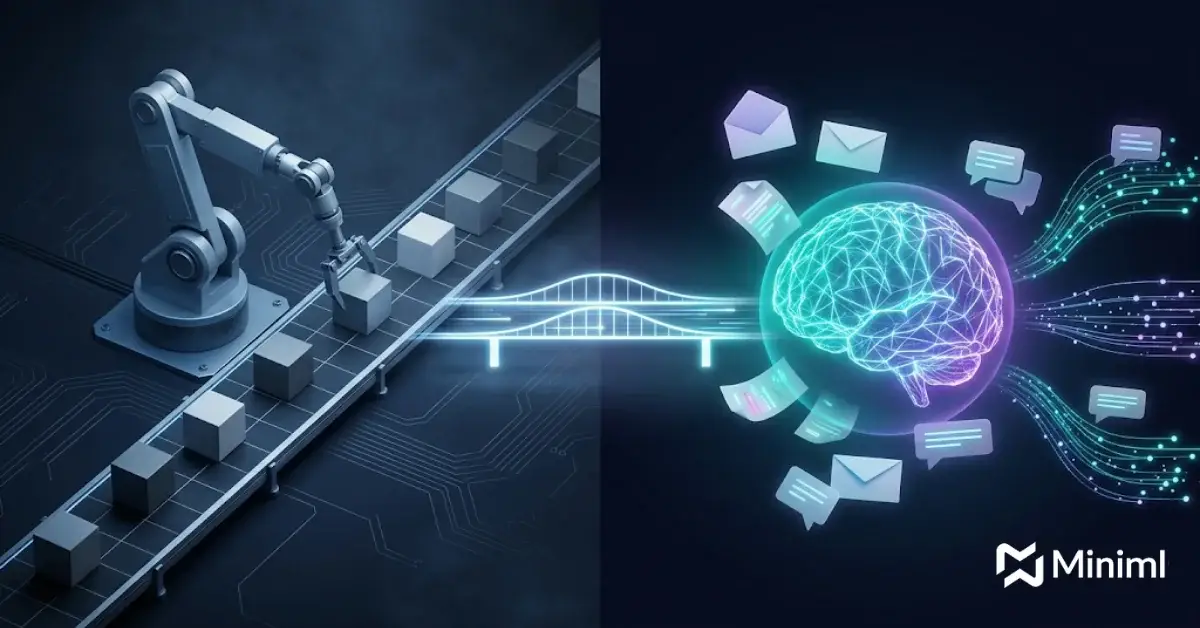
The short answer on RPA vs AI: RPA follows fixed rules to click through screens and move structured data, while AI workflow automation uses language models and agents to read messy inputs and make bounded judgment calls. Most teams need both. RPA handles the predictable steps, and custom AI agents for operations handle the steps that need judgment.
Key Takeaways on RPA vs AI Workflow Automation
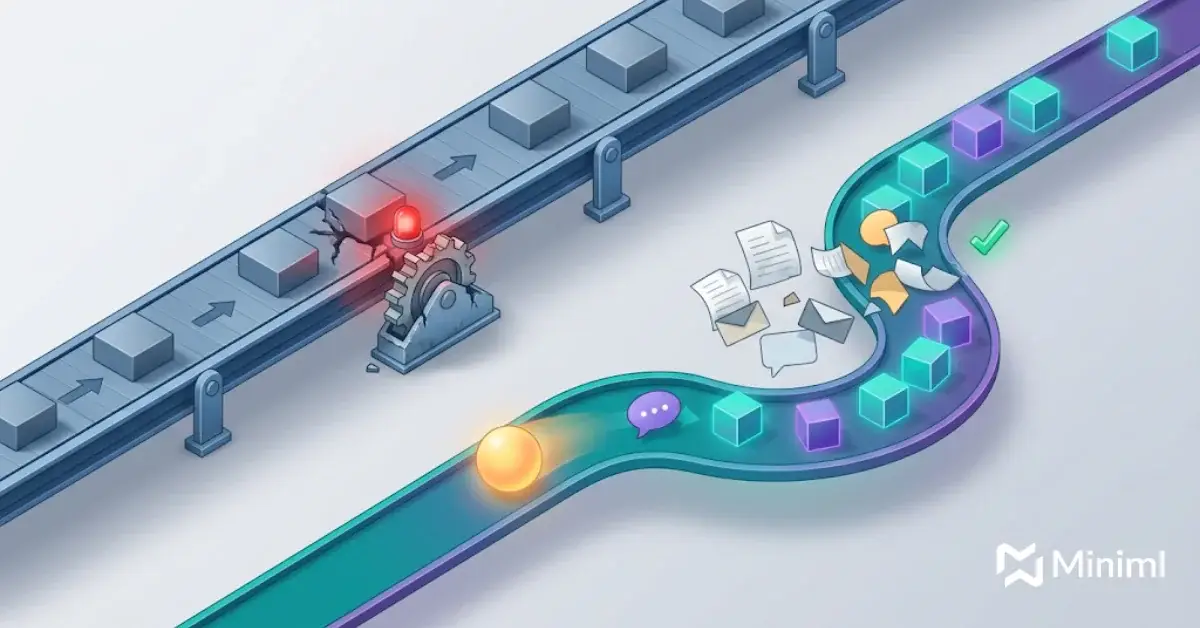
- RPA is deterministic. It repeats the same steps on the same screens and breaks when the screen or the data format changes.
- AI workflow automation reads emails, PDFs, chats and tickets, then decides what to do within limits you set.
- Good RPA vs AI stacks combine them: AI interprets and decides, RPA or APIs execute.
- Existing bots do not need a rip-and-replace. Migrate the fragile, exception-heavy ones first.
- Every automated workflow needs a named owner, clear controls and a measured outcome before it scales.
What Is RPA and How Does It Work?
Robotic process automation (RPA) is software that copies what a person does on a screen. A bot logs in, opens an app, reads fields, types values and clicks buttons. It follows a script built from rules, so the same input always gets the same output.
That makes RPA a good fit for older systems with no API. Desktop RPA tools can drive legacy applications, such as terminal emulators, by working with UI elements, images or screen coordinates. That is the core strength of RPA: it reaches systems nothing else can reach.
This is the weak spot in any RPA vs AI comparison. RPA needs structured, consistent data and stable screens. When a vendor changes an invoice layout or a portal moves a button, the bot fails.
What Is AI Workflow Automation?
AI workflow automation uses large language models (LLMs), retrieval and agents to run steps that involve reading, sorting and deciding. Instead of a script, the system gets a goal, tools it may call and rules it must follow.
It can read an unstructured email, pull out the request, check a policy document, draft a reply and route edge cases to a person. It works on inputs that RPA cannot parse, like free text, scanned forms, call notes and chat logs. If you have ever tried to script a bot around customer messages, our guide on NLP for customer service data shows why language models handle that layer better.
The main tradeoff in RPA vs AI is that AI output is probabilistic, so production workflows need evaluation, guardrails and human review points.
RPA vs AI: Side-by-Side Comparison
| Factor | RPA | AI Workflow Automation |
|---|---|---|
| Core logic | Fixed rules and if-then scripts | Models that interpret context and choose actions within limits |
| Best input type | Structured data in fixed formats | Unstructured text, documents, email, chat, voice transcripts |
| How it connects | UI scripts, screen scraping, some APIs | APIs, tool calls, retrieval from knowledge bases, plus RPA as a tool |
| Output | Same result every time | Variable result that needs evaluation and thresholds |
| Handling change | Breaks when screens or formats change | Tolerates new layouts and wording without rework |
| Exceptions | Stops and hands off to a person | Can resolve common exceptions, escalates the rest |
| Judgment | None | Bounded judgment based on policy and context |
| Ongoing cost driver | Bot maintenance after UI changes | Model usage, monitoring and evaluation |
| Typical use | Data entry, report pulls, system-to-system copying | Triage, document review, case summaries, drafting replies |
Workflow Automation vs RPA: What Actually Changed?
For years, “intelligent automation” meant RPA plus add-ons like OCR or simple machine learning classifiers. That helped, but the logic was still mostly hard-coded. The real change in the workflow automation vs RPA debate is that LLMs can now handle the reading and judgment steps that used to force a hand-off to a person.
Many teams now run agent pilots to test RPA vs AI on real work, but a lot of them stall because of rising costs, unclear value or weak risk controls. There is also plenty of “agent washing,” where vendors rebrand RPA tools and chatbots as agents without adding real reasoning or tool use.
So the lesson on intelligent automation vs RPA is not “AI wins.” It is that AI expands what you can automate, but only projects with clear value and controls survive.
Where Does Each One Fit in the RPA vs AI Decision?
Choosing between RPA vs AI starts with the work, not the tool. Look at the input, the number of exceptions and how much judgment a step needs.
When RPA Is the Right Choice
In the RPA vs AI choice, RPA still earns its place. Keep or build bots when:
- The input is structured and the format rarely changes.
- The target system has no API and will not get one soon.
- The task is high volume with almost no exceptions.
When AI Workflow Automation Is the Right Choice
In the RPA vs AI split, AI is the better fit when a person currently reads, interprets or decides something. Common signs:
- Inputs arrive as emails, PDFs, chats or scanned forms.
- Exception rates are high and bots keep stopping.
- The step needs a policy check or a short written response.
RPA vs AI Decision Rules for Your Stack
Use these rules to keep the RPA vs AI choice grounded in outcomes.
- If the input is structured and stable, use RPA or a direct API.
- If the input is unstructured, put an AI step at the front to classify and extract.
- If a step needs judgment, use an agent with clear limits and a human review threshold.
- If an API exists, prefer it over UI scripting for both RPA and AI.
- If an error is costly or hard to reverse, require human approval before the action runs.
- If you cannot measure the outcome, do not automate the step yet.
How to Combine RPA and AI in One Workflow
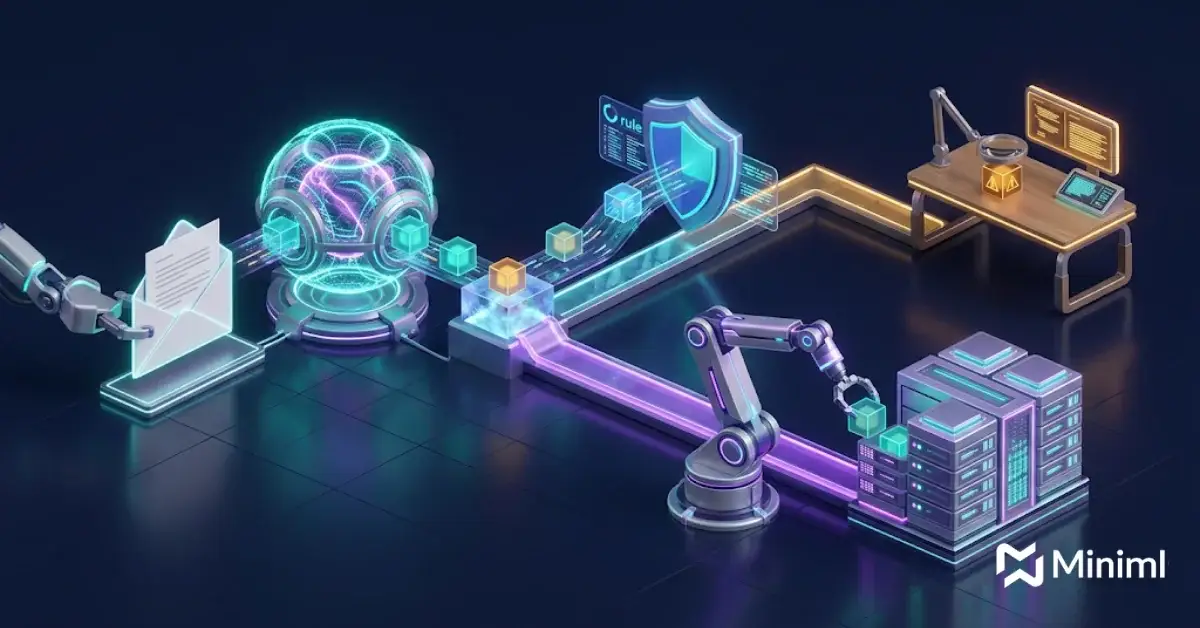
The practical answer to RPA vs AI is often both: AI interprets, RPA or APIs execute. Take accounts payable: an AI step reads an incoming invoice email, extracts the vendor, amount and PO number, and checks it against policy. If everything matches, a bot or API call posts it into the ERP. If something looks off, the case goes to a reviewer with a summary.
In this setup, the agent treats the RPA bot as just another tool. Many legacy platforms still need this hybrid approach, and our guide to AI implementation challenges covers the common pitfalls.
Often the first practical step is ChatGPT and LLM integration into the systems teams already use, with access controls in place.
Migration Path for Existing RPA Bots
Picking AI in the RPA vs AI debate does not mean retiring every bot. A staged plan cuts risk and shows value early.
- Inventory your bots. List each bot, its owner, run volume, failure rate and maintenance hours.
- Rank by pain. Flag bots with high exception rates, frequent breaks or heavy manual follow-up.
- Map the workflow. Mark which steps are rule-based and which need reading or judgment.
- Add an AI step in front. Use a model to classify and extract inputs, then pass clean data to the existing bot.
- Set controls. Define confidence thresholds, approval points, logging and rollback before go-live.
- Run in shadow mode. Compare AI decisions with human decisions for a few weeks before switching over.
- Measure and expand. Track cycle time, exception rate and rework, then move to the next bot.
What Miniml’s Workflow Automation Service Adds
On either side of RPA vs AI, most automation projects fail on operations, not models. Miniml’s Workflow Automation service starts with three questions: who owns the workflow, what controls apply and how success is measured.
Every engagement follows our delivery model: Discover, Map workflows, Prioritize, Prototype, Implement, Operate. We also offer on-prem open-weight models when data cannot leave your environment. If you want a fixed-scope start, the AI Workflow Opportunity Map (3 weeks) ranks your workflows by value and readiness. For broader planning, see our enterprise AI consulting services.
For background on how classic bots work, see this overview of robotic process automation. Both sit under the wider field of business process automation.
RPA vs AI FAQs
Is RPA a form of AI?
No. Classic RPA follows fixed rules, copies human clicks and keystrokes, and does not learn or interpret. Some vendors add AI features like document reading or classification, which is often called intelligent automation. But the bot itself is still a rules engine.
Will AI agents replace RPA?
Not fully. Agents will take over many steps that need reading and judgment, but RPA still fits stable, high-volume tasks on systems without APIs. In practice, many agents call RPA bots as tools. Expect hybrid workflows, not a clean swap.
What is the difference between intelligent automation and RPA?
RPA is rule-based task automation. Intelligent automation adds AI capabilities, such as OCR, language models or classifiers, so the workflow can handle documents and variable inputs. The difference is scope: RPA handles the execution, while intelligent automation tries to cover the full process, including the reading and decision steps.
Is AI workflow automation more expensive than RPA?
The RPA vs AI cost question depends on the workflow. RPA can be cheaper to build for simple tasks, but maintenance costs rise when screens change. AI workflows need more setup for evaluation and guardrails, plus model usage costs. The fair comparison is total cost per completed case, including exceptions and rework, not license price alone.
How do I know which of my bots to migrate first?
Start with bots that break often, have high exception rates or need a person to fix their output. These show the clearest gains from adding an AI step. Leave stable, low-maintenance bots alone until the higher-pain workflows are done and measured.
Is AI workflow automation safe for regulated data?
It can be, with the right design. Use role-based access, logging, human approval for high-impact actions and clear data boundaries. For sensitive data, private deployments or on-prem open-weight models keep data inside your environment. Build governance in from the start, not after launch, and keep audit logs that show what the system read, decided and did on each case.
Build a Hybrid Automation Stack That Reaches Production
The RPA vs AI question is really a question about which steps need rules and which need judgment. Get that split right, add clear ownership and controls, and your automation stops being a pile of fragile bots. If you want help mapping your workflows or migrating existing bots, book a consultation with Miniml.
Miniml
San Francisco: 50 California St #1500, San Francisco, CA 94111, United States. Phone: +1 415-941-8345
Edinburgh: 93 George St, Edinburgh EH2 3ES, United Kingdom
Miniml Edinburgh: 93 George St, Edinburgh EH2 3ES
About Miniml: Miniml is an AI consultancy with offices in San Francisco and Edinburgh that helps enterprise teams take AI systems past the pilot and into production.